
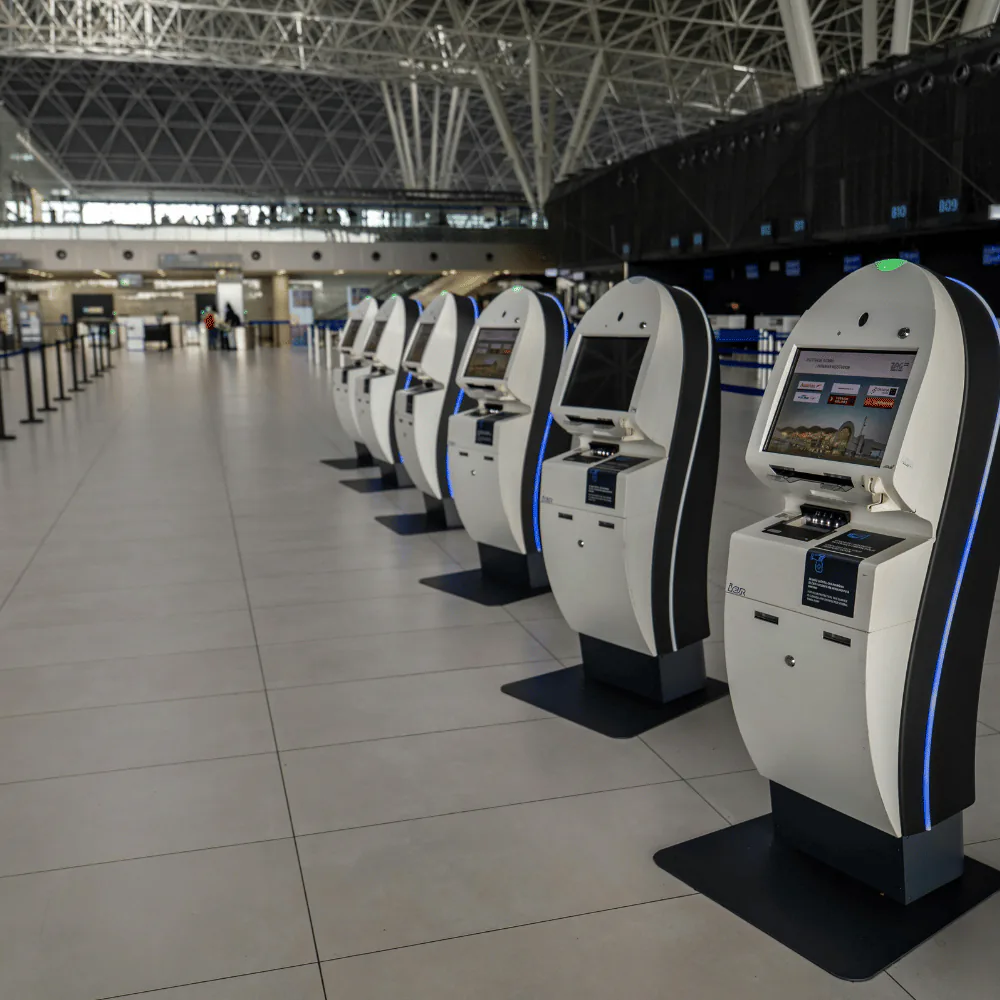
Are there service tasks that repeat every day?
Staff spend a significant part of their time registering visitors.
A self-service flow can capture the first information and notify the responsible area.
Customers repeatedly request turns or services.
A station can standardize the request and leave staff to handle the cases that require attention.
Queues and wait times affect the service experience.
Clear registration, instructions, and turn management make the next step more visible.
Information should be collected before direct attention.
Guided forms can collect the data required by the following process.
Catalogs, information, or instructions need an interactive point.
The station can organize content around the questions and decisions users actually make.
Reception processes could be standardized.
A defined interaction reduces unnecessary variation between shifts and locations.
Users should select options without an operator.
The interface can guide the user and validate each step before continuing.
A digital experience needs a physical point of contact.
A kiosk connects the digital workflow with the location where the action actually happens.
A simple task should work outside service hours.
Defined local functions can remain available even when direct assistance is not.
The self-service interface must connect with internal systems.
The station is designed around the information that must be created, consulted, or updated after the interaction.
A station designed around one concrete task
Visitor registration
Capture data, select the reason for the visit, and notify the corresponding staff.
Queue management
Assign ticket numbers and positions in a service queue.
Service requests
Start procedures and requests through guided forms.
Information lookup
Provide catalogs, instructions, maps, availability, and relevant content.
Check-in
Register arrival for appointments, events, clinics, offices, and service centers.
Document capture
Receive data, photographs, codes, and files through compatible peripherals.
Identification
Read codes, credentials, and other methods defined for the project.
Printing
Deliver tickets, receipts, labels, and instructions.
Conceptual example
How it works in practice
A company that receives visitors every day. Each one walks up to reception, explains who they are there to see, leaves their details and waits while somebody goes looking. A self-service kiosk turns that first contact into a defined flow.
The visitor identifies themselves
The kiosk captures the information needed to begin the visit without making the person repeat it at reception.
The system organizes the information
The record is stored with the context the team needs to understand who arrived and what they need.
Trigger the next action
The right person or system receives the notification, queue position, instruction, or workflow event.
Leave a visible record
Visitors receive clear instructions and staff can consult the interaction instead of reconstructing it later.
Reception clears up, and the visitor knows where they stand.
Not all kiosks do the same thing
Reception kiosk
For visitors, suppliers, and people with appointments.
Queue kiosk
Organize service at counters or windows.
Information kiosk
Provide products, services, maps, or instructions interactively.
Registration kiosk
Capture information before a process begins.
Internal operation station
Let collaborators record activities or consult information at a specific point.
Specialized terminal
Support processes that require additional peripherals, sensors, or devices.
Working methodology
- 01
Watching what happens at reception
We review what the user does today, what information must be provided, and what happens when the interaction ends.
- 02
The flow
We define screens, decisions, validations, and subsequent actions.
- 03
Building the software
We build the interface, logic, integrations, and services required by the experience.
- 04
The physical station
We select or develop the structure, screen, peripherals, and mounting elements.
- 05
Real users, first try
We test clarity, completion times, accessibility, and behavior in the most common scenarios.
- 06
Install and document
We deliver the solution in operation and train the responsible staff.
You can start with one simple interaction
Initial scope
- One screen
- One form
- Option selection
- Arrival registration
- Queue generation
- One staff notification
Future expansion
- Printing
- Code reading
- Identification
- Payments
- CRM integration
- Multiple locations
- Analytics, remote administration, and additional peripherals
The station as part of your systems
Kiosk + customer system
Let users identify themselves and consult or update authorized information.
Kiosk + queue management
Turn registration automatically creates a position in the queue.
Kiosk + agenda
Relate each visit to an existing appointment or reservation.
Kiosk + notifications
Notify staff when a visitor arrives or a request starts.
Kiosk + CRM or internal software
Send captured information to other platforms through a compatible interface.
Kiosk + peripherals
Integrate readers, printers, cameras, scanners, and other devices for the application.
Capabilities used
Frequently asked questions
Does Palloran Labs develop both the software and physical structure?
Yes. We develop the interface, logic, and integrations, and also design and manufacture the enclosure or station structure. This keeps software and hardware aligned.
Can we use a screen or computer we already have?
Often, yes. We review compatibility, performance, connectivity, and use conditions before defining the architecture.
Can it connect with our current system?
It depends on the platform. If an API, accessible database, or another compatible integration mechanism exists, we evaluate the connection.
Can it print tickets or receipts?
Yes, by integrating a printer compatible with the application.
Can it read QR codes or barcodes?
Yes. We integrate readers or cameras according to the application and use conditions.
Can it register visitors?
Yes. We develop complete registration, identification, and staff-notification flows.
Can it work without an internet connection?
Yes, with conditions. The architecture can operate locally or keep limited functions available during a connection loss and synchronize afterward. We define what must continue working during design.
Can it be administered remotely?
Yes, when the infrastructure and security policies allow it. We evaluate monitoring, updating, and remote administration mechanisms.
Can it be installed in several branches?
Yes. The platform can be designed to support multiple locations when that growth is part of the requirements.
Can it accept payments?
It is possible to integrate compatible payment terminals or platforms. Architecture, provider, and security requirements are evaluated specifically because payment handling has different conditions.
Puebla-based support and projects in other locations
- Geographic coverage
- Puebla and other regions
- Remote attention
- Software development, design, and manufacturing are performed from our facilities.
- In-person attention
- Survey, installation, and physical testing are performed on site according to the project.
Projects are evaluated according to the interaction, physical environment, connectivity, and integration requirements.
Tell us which process you want to make self-service
You do not need to arrive with a screen, enclosure, or application defined. Tell us what the user does today, what information they need to provide, what should happen afterward, who uses the data, where the station will be installed, which peripherals it may need, and which problem you want to solve. With that information, we define the right experience and architecture.
Technical components
A good station is understandable without explanation. We consider the user, available time, prior information, possible mistakes, abandonment behavior, connection loss, reachable physical elements, and information visibility. A technically functional interface can still be a poor experience if it makes the user think too much.
The physical environment matters: use height and accessibility, screen position, lighting, ventilation, available space, power, connectivity, public exposure, cleaning, maintenance, fixing, mechanical resistance, and technical service access.
Security and privacy from design: temporary sessions, automatic inactivity closure, screen-data protection, administrator roles, encrypted communications, operating-system restrictions, blocked unauthorized functions, clearing information between users, controlled storage, event logs, updates, backups, and monitoring. Personal-data handling must align with the organization's privacy notice.
Software: web applications · touch interfaces · frontend and backend · APIs · databases · authentication and sessions · access control · integration with internal software.
Terminal configuration: kiosk mode · locked-down browsers · local storage and synchronization · remote updates · monitoring · backups.
Hardware and peripherals: industrial computers and mini PCs · touchscreens · QR and barcode readers · thermal printers · cameras · scanners · card readers · sensors · GPIO · USB · Ethernet · Wi-Fi.
Structure: CAD design · cabinet manufacturing · 3D printing · laser cutting · metal fabrication. Infrastructure: private servers or cloud services.
Related projects: we publish only implementations that can be documented and shown. When a related case is available, it will present the automated process, interaction, software, integrated hardware, station manufacturing, connected systems, and documented results. Conceptual demonstrations will be explicitly identified.
The specific architecture is defined according to the interaction, physical environment, peripherals, information handled, connectivity, number of locations, and security requirements.